Turn your notes into LinkedIn posts that sound like you.

Paste rough notes or a call summary. Monograph rewrites them in your voice, ready to schedule.

7-day trial · $19.99/month or $199/year · Cancel anytime

Monograph's Create screen with a messy call note pasted in

Bring your own agents with our MCP

  • ChatGPT
  • Claude
  • Cursor
  • VS Code
How to connect

LinkedIn content creation made simple.

The problem

  • Ideas scattered across notes apps, bookmarks and screenshots.
  • Drafting in one place, then pasting into a separate scheduling tool.
  • Good ideas get lost, and posting stays inconsistent.

With Monograph

  • Capture ideas in one place.
  • Improve them with Brain.
  • Schedule or publish to LinkedIn from the same draft.
“Monograph is made with care, and it shows in the simplicity of its details. In a landscape filled with AI slop, Monograph prioritizes human ideas and gives you the environment to write and schedule them easily. Highly recommended.”

Mark Emyan

Mark Emyan

Founder & Growth Partner, manialo (Montréal)

How it works

01Brain

Find your next post in the notes you already have.

Brain keeps your ideas and pasted text in one place. Save a thought, an excerpt or a transcript you already have. Explore different post angles, choose one, and continue writing in Create.
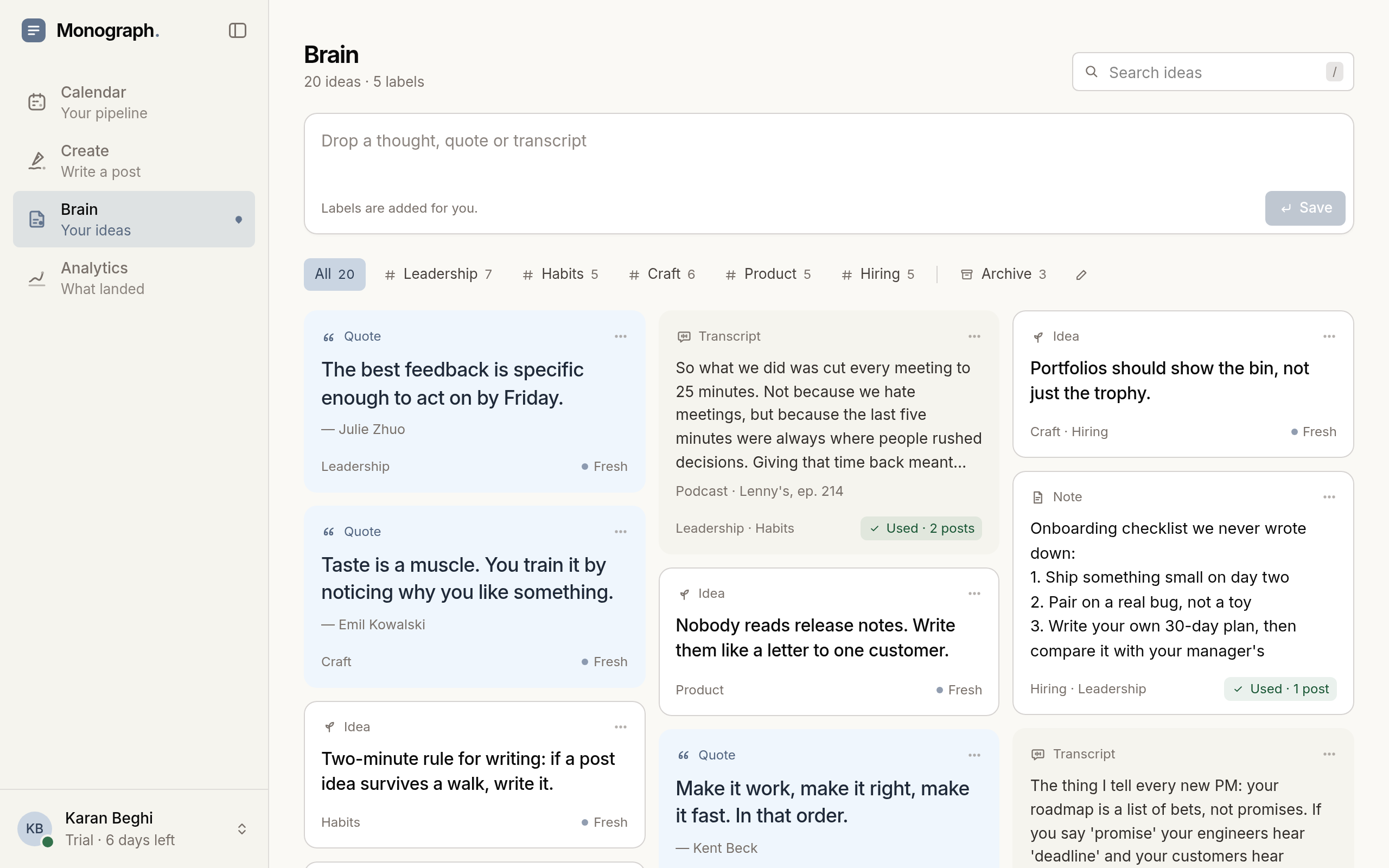
Monograph's Brain: saved ideas on a wall, grouped by label

02Create

A calm space to write your best thoughts.

Write your posts, then use AI to improve your hook or clarify your thinking in one click.
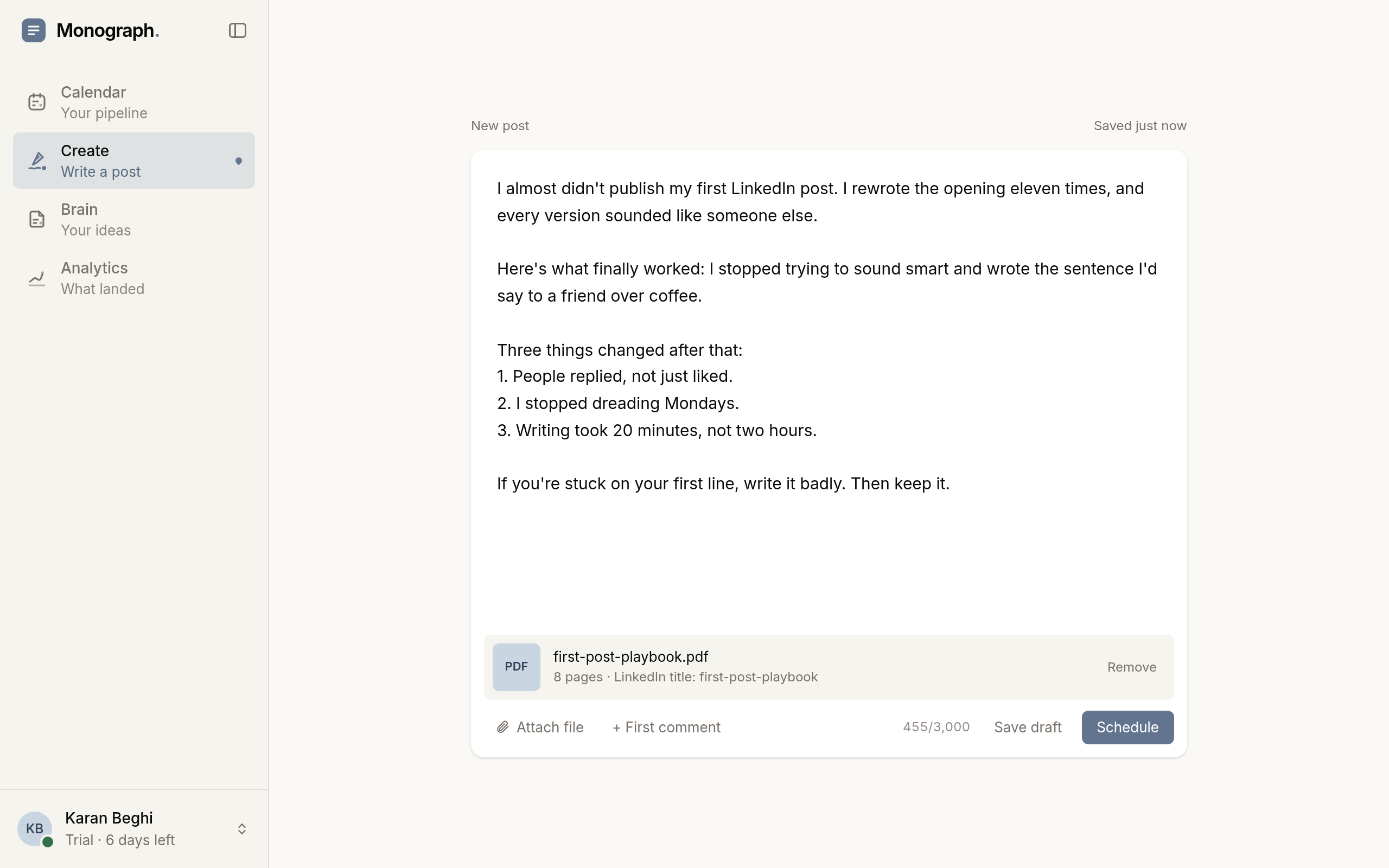
Monograph's Create screen: a LinkedIn text post with writing tools and a character count, ready to publish now or schedule

03Calendar

View your content pipeline at a glance.

See drafts, scheduled posts and published work together in the calendar. Tweak unpublished posts or reschedule them in a click.
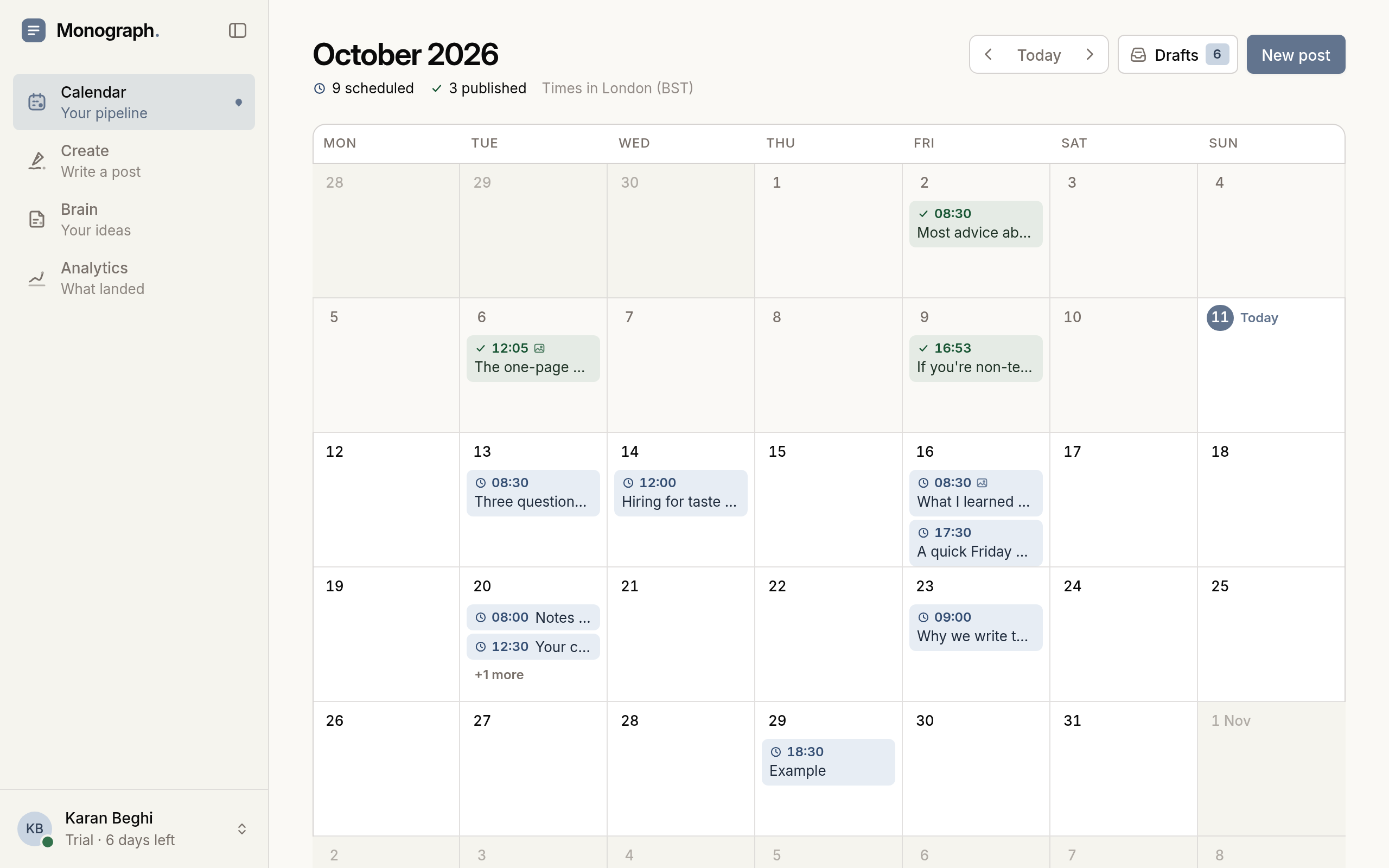
Monograph's calendar month view with scheduled and published posts

04Analytics

Simple analytics that move the needle.

See how your posts are performing and which ones landed best, so you can double down on what works and find your next angle.
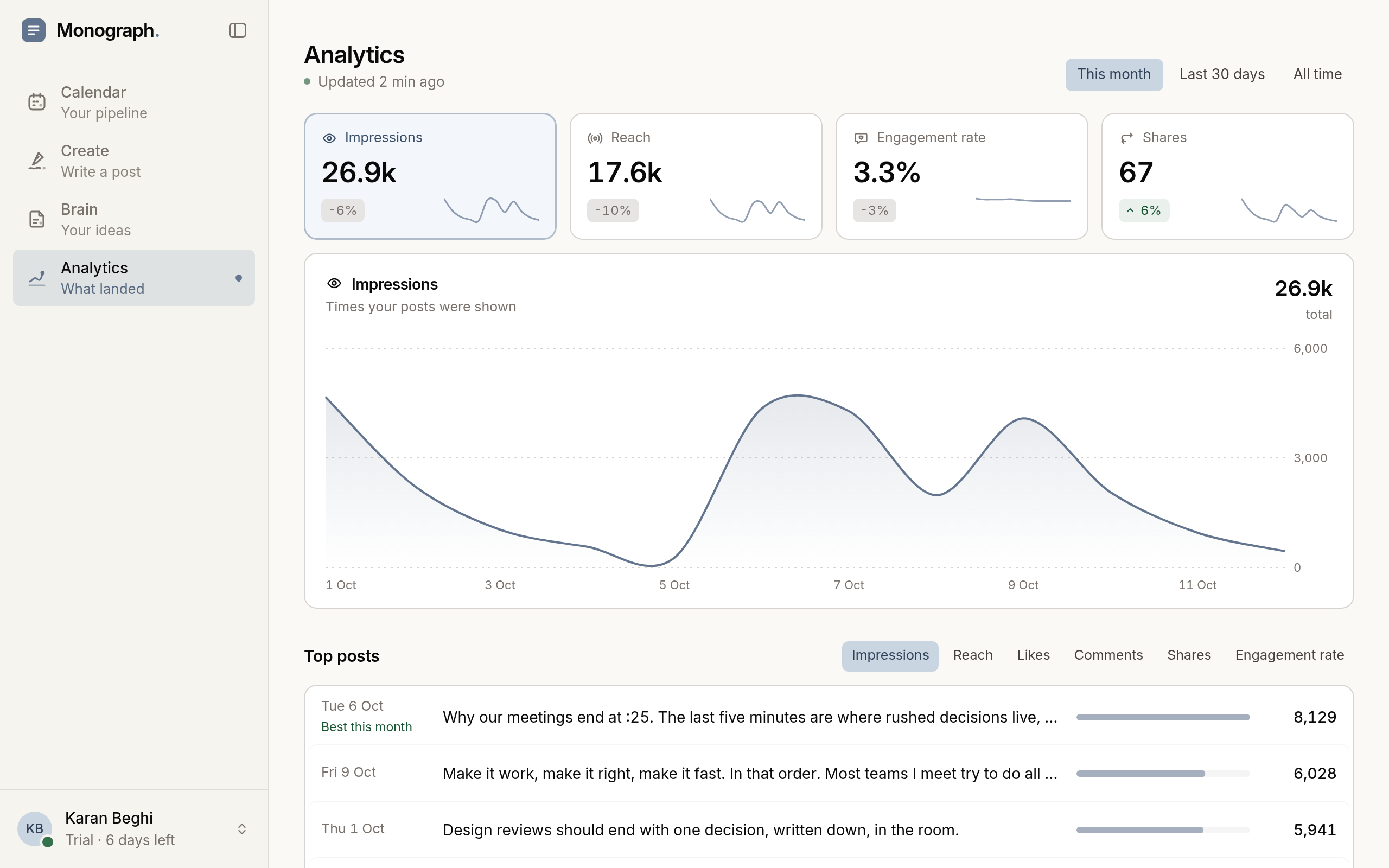
Monograph analytics: impressions, reach, engagement and top posts
Karan Beghi, founder of Monograph

A note from the founder

Hi, I'm Karan, the founder of Monograph.

I built it for two reasons. I wanted creating and scheduling LinkedIn content to be simple for busy people with real expertise to share. And I wanted AI to assist you, not replace you.

I believe simple, focused software beats bloated tools full of features that might help but usually don't. Monograph takes the headache out of writing and scheduling, so you can get back to the work that actually interests you.

Simple pricing

Start a 7-day trial.

For one person publishing to their own LinkedIn profile.

Monthly billing. $19.99 a month, billed monthly.

Included

Monograph Core

$19.99/mo

Billed monthly

or $199 a year (2 months free)

  • Ideas. Notes, pasted text and reusable post angles
  • Writing. Autosaving drafts and writing assistance you review
  • Planning. Scheduling, calendar and post analytics

7-day free trial. Card required. $0 today, then $19.99 a month. Cancel anytime.

Questions before you start? Email support@usemonograph.com.

Prices in USD. Applicable taxes are calculated at checkout.

Text and single-image posts · One personal LinkedIn profile

Questions before you start

Monograph is a web app for one person writing for their own LinkedIn profile. You keep ideas in Brain, write in Create and schedule from the same draft, with no browser extension to install. AuthoredUp is built around a LinkedIn browser extension with formatting, templates and deeper analytics, and Taplio's own site lists carousels, engagement tools and automated connection requests and messages. Read the full Monograph vs AuthoredUp comparison.

You can. Monograph keeps your ideas, drafts, schedule, calendar and analytics in one place, so you are not copying text between tools. AI help works on your own draft and can use your Writing Voice. If you already use ChatGPT, you can connect it to Monograph through our MCP to draft and schedule posts.

Monograph does not write or publish posts on its own. You write the post, and AI helps only when you ask, with post angles, a stronger hook, a shorter version or a rewrite. You review each suggestion before it replaces your text, and Writing Voice gives the AI a short summary of how you write plus your own rules. For tips, read how to write LinkedIn posts with AI that sound human.

You connect on LinkedIn's own authorisation screen, and you never enter your LinkedIn password into Monograph. Monograph connects one personal profile and only posts what you publish or schedule, yourself or through an agent you have connected. It does not automate engagement or outreach, such as comments, connection requests or messages. You can disconnect LinkedIn at any time.

Text and single-image posts to one personal LinkedIn profile. Video, carousels, PDFs, documents, multiple images and first comments are not supported for publishing. Company pages are not supported.

Yes. Choose a date and time from 10 minutes to 30 days ahead, see the post on your calendar, and reschedule or cancel it before it goes out. You can edit a scheduled post until 10 minutes before it publishes.

Ideas, notes, excerpts, transcripts and links. Brain can summarise saved text and suggest three post angles to continue in Create. Links stay clickable, but Monograph doesn't read or analyse linked pages.

Yes. Once your trial has started, you can use Brain and Create before connecting LinkedIn. Connect your personal profile when you're ready to publish or schedule.

The trial needs a card, and nothing is charged during the 7 days. Polar, our payment provider, emails you 3 days before your trial ends. Unless you cancel before the trial ends, your plan continues at the price you chose at checkout: $19.99 USD a month or $199 USD a year, plus applicable taxes. It renews each period until you cancel.

Go to Plan & account, then Card, invoices and cancellation. This opens the Polar customer portal, where you can cancel without contacting us. Cancelling stops future renewals, and your access normally continues until the end of your trial or paid period. See our Refund & Cancellation Policy for details.

No. Cancelling does not delete your account, drafts or Brain items. Paid features, including AI help, publishing and scheduling, become unavailable when your access ends.

Start saving hours on your LinkedIn content.

Capture the thought, shape the writing, choose the moment and learn what to create next.

7-day free trial. Card required. $0 today, then $19.99/month or $199/year. Cancel anytime.